Developing an artefact parser for Android forensics and ALEAPP

I decided to explore Android forensics using ALEAPP. This open-source tool is designed to parse various artifacts from Android devices, making it a valuable resource for digital forensic investigations.
As part of my exploration, I focused on developing a parser for a specific Android application. I chose Citymapper, a popular transit app, to analyze its data storage and extract relevant forensic artifacts.
The case of Citymapper
Citymapper is widely used for urban transportation planning. In fact, it has been downloaded more than 10 million times on the Google Play Store. It also supports multiple cities worldwide so it makes for an interesting case study.
Setting up the environment
To begin, I set up an Android emulator using Android Studio. I didn't have the best experience with Genymotion during CTFs so I opted for the official option. This allowed me to create a virtual device running on Android 12.
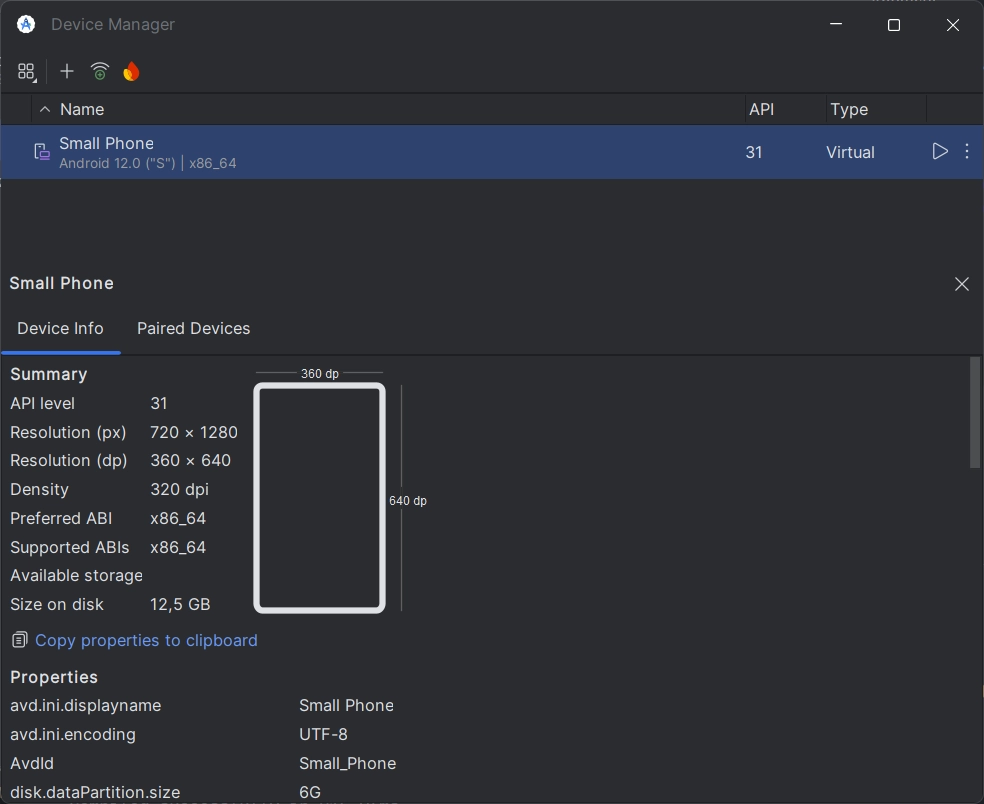
Then, installing Citymapper was straightforward. Connect the emulator to the Play Store, search for Citymapper, and install it.
Becoming superuser
To access the app's data, I needed superuser privileges.
The fantastic tool RootAVD from newbit made this process seamless. It automates the rooting of Android Virtual Devices and integrates Magisk for easy management of root access.
A nice tutorial can be found here.
Data generation and extraction
Once Citymapper was installed, I launched the app. I generated some data by searching for routes and saving favorite locations. This activity would create artifacts that I could later analyze.
To access the app's data, I used Android Debug Bridge (ADB) to pull the relevant files from the emulator. The data is stored in the /data/data/com.citymapper.app.release/ directory.
Getting access to this directory is quite easy once you have root access. You can use the following ADB commands:
$ adb shell
$ whoami
shell
$ su
$ whoami
root
$ cd /data/data/com.citymapper.app.release/
/data/data/com.citymapper.app.release $ ls
app_         app_textures    app_webview  code_cache  files      oat
app_pccache  app_tmppccache  cache        databases   no_backup  shared_prefs
The databases folder is of particular interest, as it contains SQLite databases that store user data.
Extracting the databases and app data
I found several SQLite database files in the databases directory. The most relevant one was citymapper.db, which contained tables with user activity, saved locations and route searches.
But I had two challenges :
- sqlite3 is not installed when the emulator is created with a Google Play profile.
- doing
adb pulldirectly from the app data folder is not possible due to permission issues.
To overcome these challenges, I used this quick workaround:
- Copy the whole app folder to the Downloads directory, which is accessible without root (
/storage/emulated/0/Download/). adb pullthe copied folder to my local machine.
And boom, I got the whole app data on my computer.
Exploring the database
Using a SQLite client, I opened the citymapper.db file. I explored the tables and found several interesting ones:
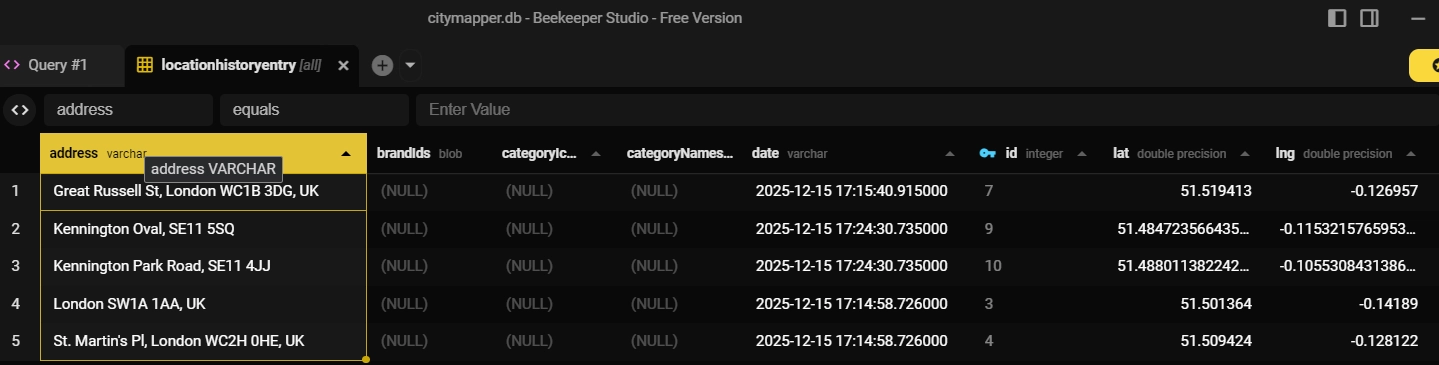
The table locationentryhistory contained records of locations that the user had searched for or saved. This included timestamps, latitude and longitude coordinates and place names.
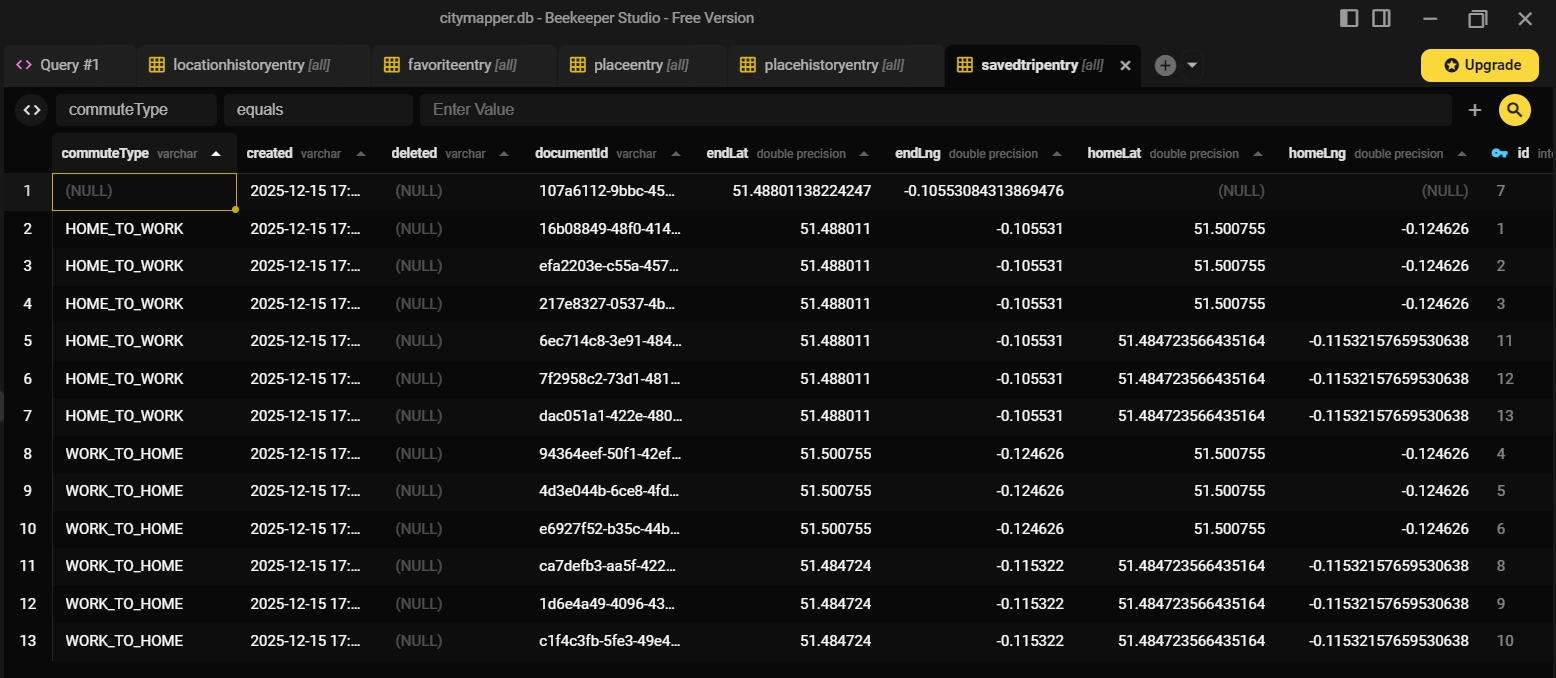
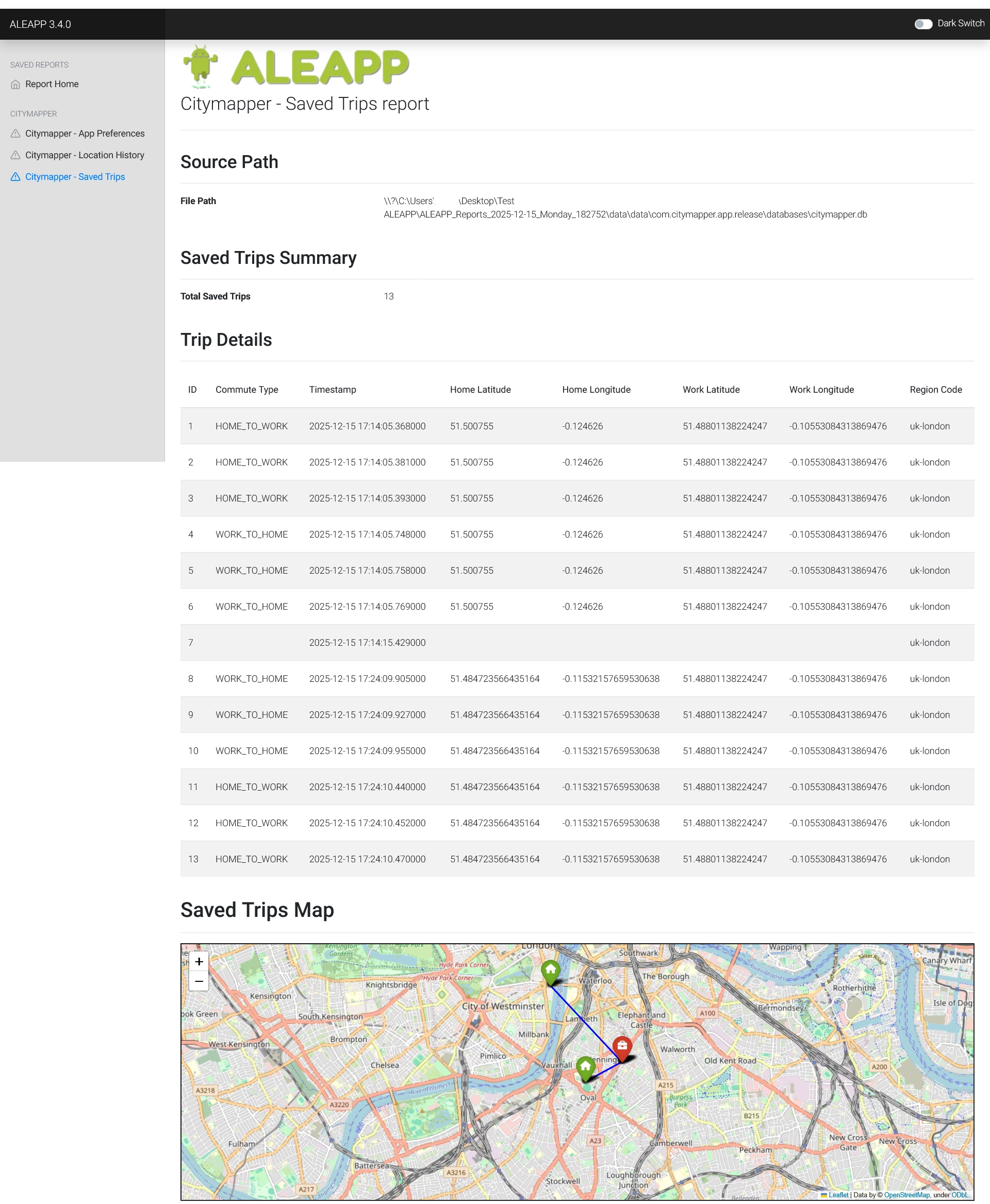
The savedtripentry table stored information about saved trips, including start and end locations, timestamps and trip names. In this case, all the trips between "Home" and "Work" were saved.
Exploring shared preferences
In addition to the databases, I also examined the shared_prefs directory. This folder contains XML files that store user preferences and settings for the app.
Many of them were interesting :
superProperties.xml
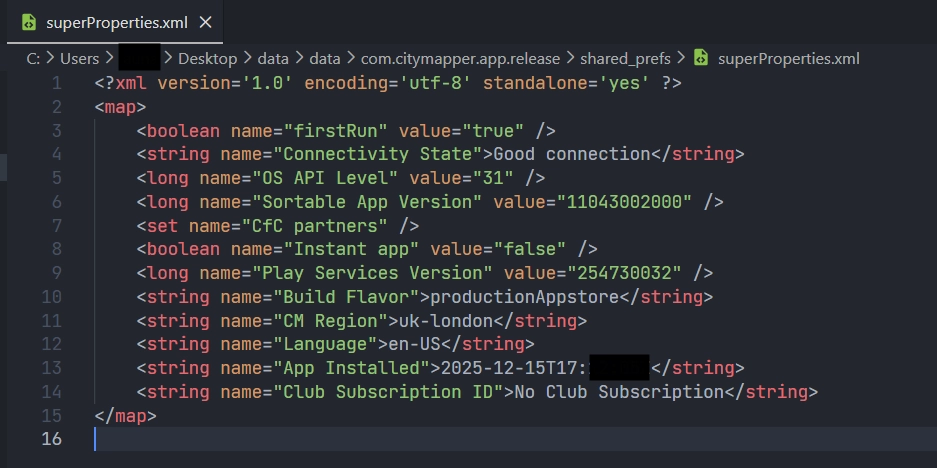
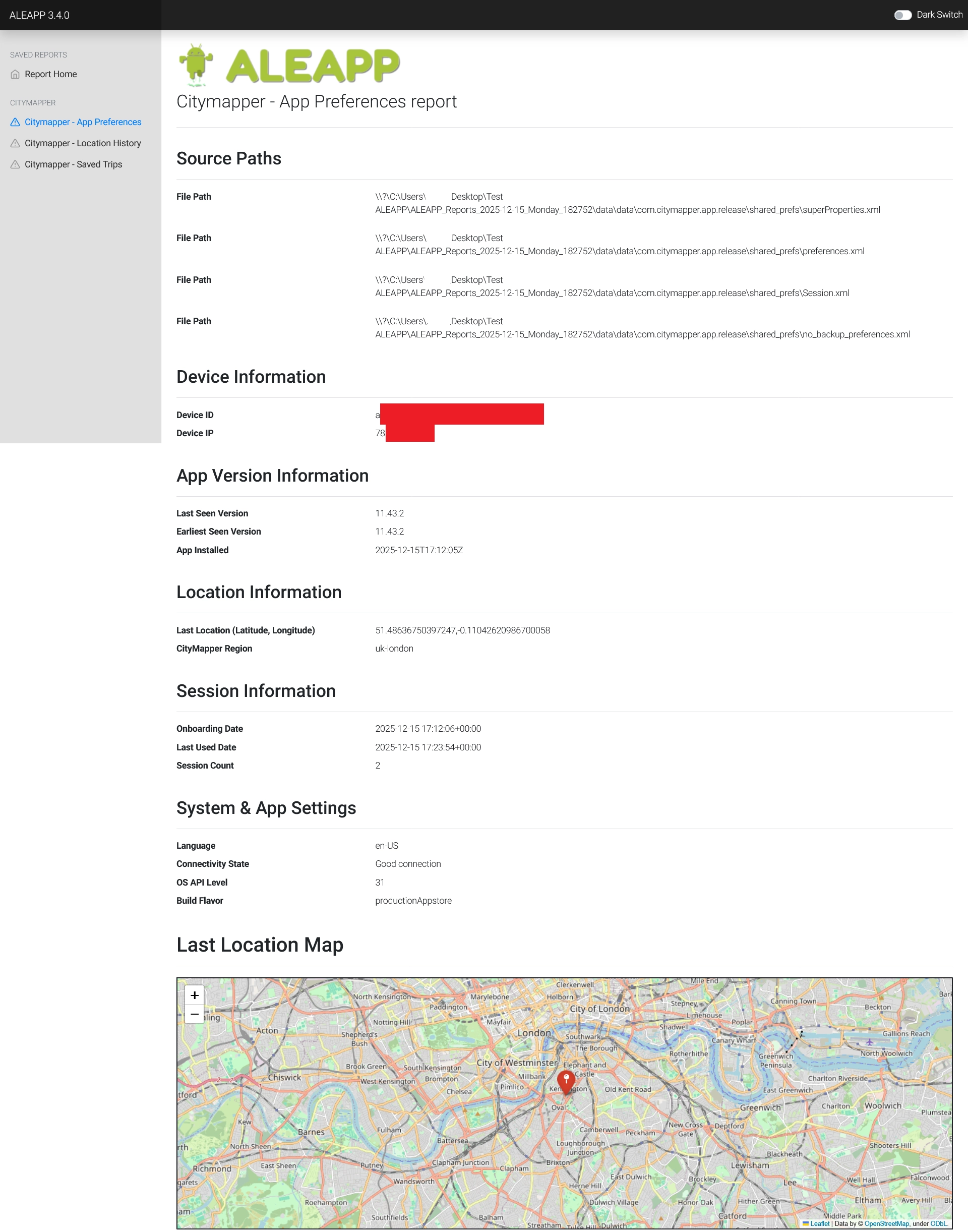
superProperties.xml contains data about the installation date, the language of the app and the city chosen by the user.
preferences.xml
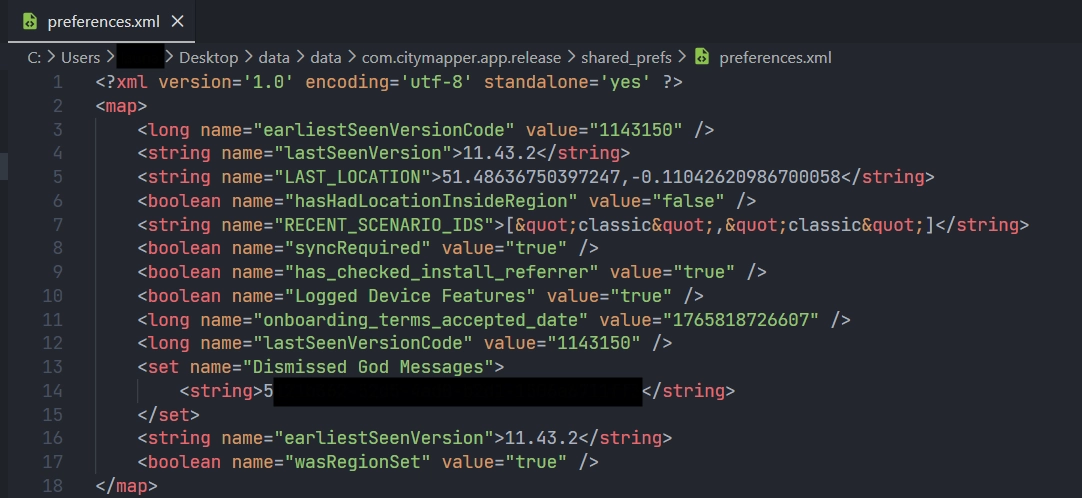
preferences.xml stores data about the last location of the user and the version of the app.
Session.xml
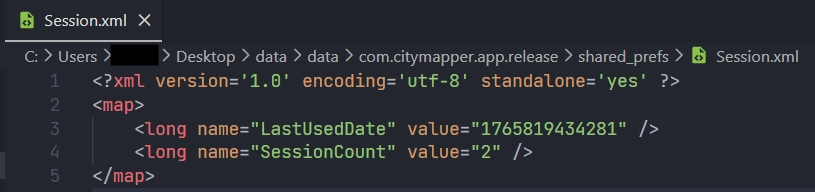
Session.xml contains information about the date of the last session and the number of sessions.
no_backup_preferences.xml
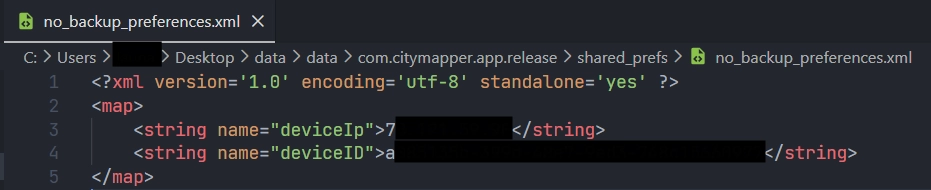
no_backup_preferences.xml contains the IP address and the device ID.
Developing the ALEAPP parser
With the data extracted and analyzed, I proceeded to develop a parser for ALEAPP. The goal was to automate the extraction of relevant artifacts.
Thus, I created a new module in ALEAPP. I defined three different functions :
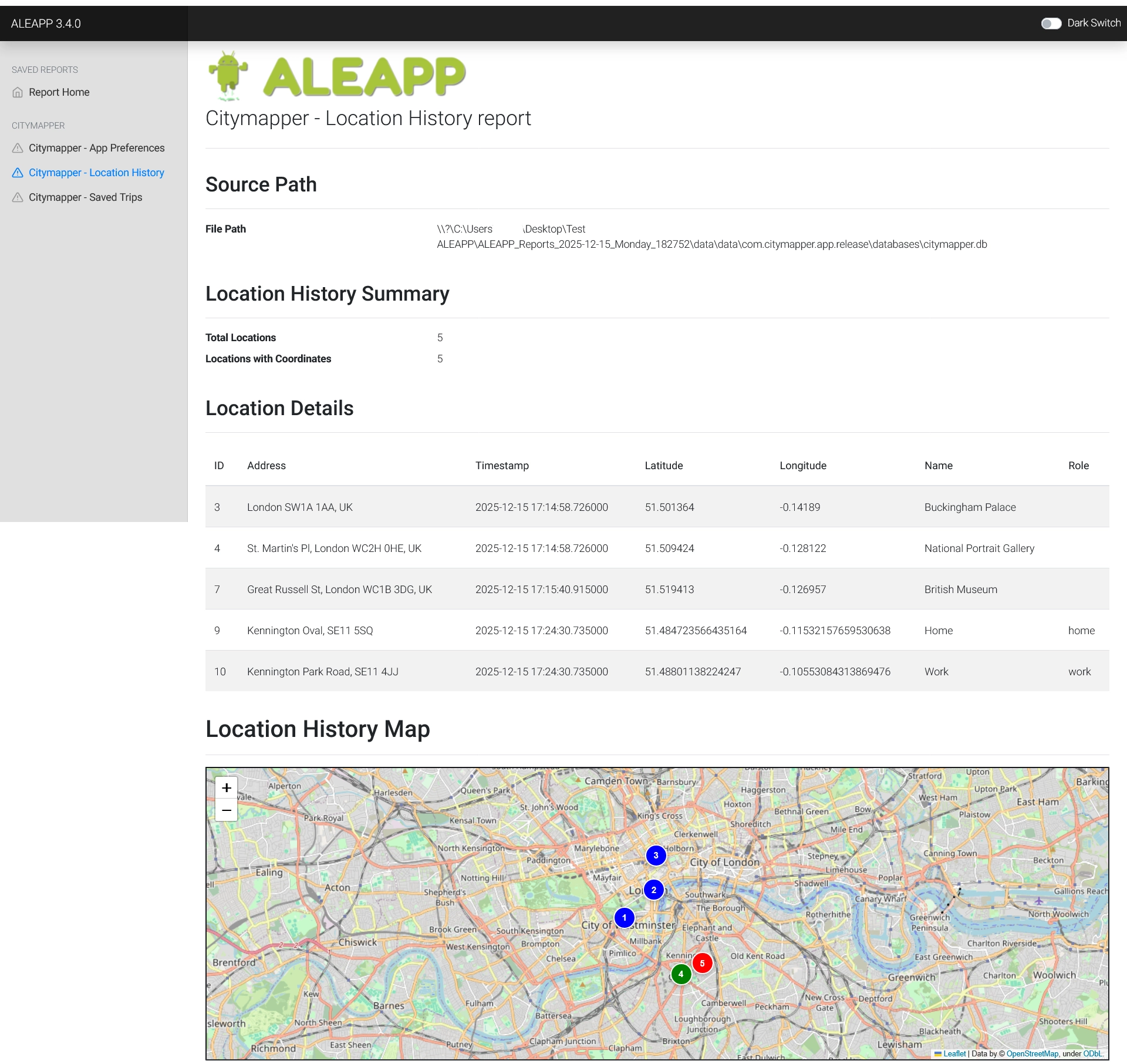
get_citymapperLocationHistoryto parse thelocationentryhistorytable.get_citymapperSavedTripsto parse thesavedtripentrytable.get_citymapperAppPreferencesto parse the XML files in theshared_prefsdirectory.
It generates custom reports in HTML and leverages Folium to plot location data on a map :
Conclusion
This project provided me valuable insights into Android forensics. By developing a parser for ALEAPP, it allowed me to understand how to extract and analyze forensic artifacts from Android applications effectively.
Source code of my parser can be found on GitHub.
Again, big thanks to Abrignoni for creating ALEAPP and all the contributors to the project, which made this exploration possible!